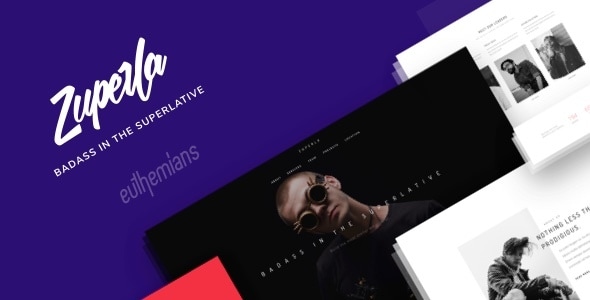
Romea - Personal Portfolio WordPress Theme

Romea - Personal Portfolio WordPress Theme

0.0
Download nicht verfügbar
Screenshot 1 Screenshot 2 Screenshot 3 Screenshot 4

App des Tages

aeru party

aeru party

Holen

App-Details

Aktualisiert
30 April 2025
Entwickler
CocoBasic
Veröffentlicht
5 years ago
Kategorie
WordPress

Beschreibung

Romea is creative, minimal and clean one page portfolio WordPress Theme perfect for personal portfolio website, any startup business, companies, agencies, and freelancers which need a professional way to showcase their work. Theme comes with the two eye-catching demos created in the different color combination. Each section is compatible and crafted with Elementor – one of the most powerful page builder for WordPress.

You can add or remove sections from the theme or to move some section from One Page to a separated – stand alone page. There is no limits – you can have unlimited sections and also unlimited stand alone pages Features includes smooth parallax moving elements, animated sliders, expandable menu and much more. All you need to do is to unleash your creativity and in just few clicks you can change all the text, images and colors to customize the theme to suit your needs.

Features Elementor page builder One page layout Parallax Elements (images and text) Child Theme Included Eye-catching Design Smooth Scroll Portfolio Post Type Loading content using Ajax Responsive Layout to Fit Any Screen Size XML demo content file Easy translations .POT – Loco Translate compatible Multi Language support (multilingual) – WPML and Polylang Easy to Customize Fully compatible for all major browsers Well Documented Top-notch support directly from theme developer is available at any time and much more …

TotalVirus geprüft

Diese Software wurde auf Malware geprüft und als sicher zum Herunterladen bestätigt.

Anleitungen & Tutorials für Romea - Personal Portfolio WordPress Theme

So installierst du Romea - Personal Portfolio WordPress Theme
  1. Klicke oben auf die Schaltfläche Vorschau / Download.
  2. Akzeptiere nach der Weiterleitung die Bedingungen und klicke auf Installieren.
  3. Warte, bis der Download von Romea - Personal Portfolio WordPress Theme auf deinem Gerät abgeschlossen ist.
So verwendest du Romea - Personal Portfolio WordPress Theme

Diese Software wird hauptsächlich für die oben beschriebenen Kernfunktionen verwendet. Öffne die App nach der Installation, um ihre Möglichkeiten zu erkunden.

Nutzerbewertungen für Romea - Personal Portfolio WordPress Theme 0

    Keine Bewertungen gefunden

Ähnliche Apps

App des Tages

aeru party

aeru party

Holen

Empfohlene Apps

Ødger - Creative Portfolio WordPress Theme

Ødger - Creative Portfolio WordPress Theme

WordPress

Apps herunterladen
Éternel - Creative Portfolio WordPress Theme

Éternel - Creative Portfolio WordPress Theme

WordPress

Apps herunterladen
Zyra - Fullscreen Photography WordPress Theme

Zyra - Fullscreen Photography WordPress Theme

WordPress

Apps herunterladen
Zyan - Personal Portfolio WordPress Theme

Zyan - Personal Portfolio WordPress Theme

WordPress

Apps herunterladen
Zuperla - Creative Multi-Purpose WordPress Theme

Zuperla - Creative Multi-Purpose WordPress Theme

WordPress

Apps herunterladen